Android IDE · on-device builds

A full Android IDE that runs on your phone.

Open real Gradle projects, edit Kotlin and Java with real code intelligence, and build installable APKs on the device in your pocket. No PC. No cloud build farm.

Coming soon to Google Play launching shortly How it works

Real Gradle & OpenJDK toolchain 100+ module projects No emulation, no proot

Pocket Studio — build output
$ gradle :app:assembleDebug

> Task :app:preBuild UP-TO-DATE
> Task :app:compileDebugKotlin
> Task :app:mergeDebugResources
> Task :app:packageDebug
> Task :app:assembleDebug

BUILD SUCCESSFUL in 2m 41s
47 actionable tasks: 39 executed, 8 up-to-date

  app-debug.apk  8.2 MB
   installed on this device
Illustration of on-device Gradle output. Build times vary by device and project — see device benchmarks.

Everything the work actually needs

Not a code viewer with syntax colours. The real toolchain, running natively.

Build for real

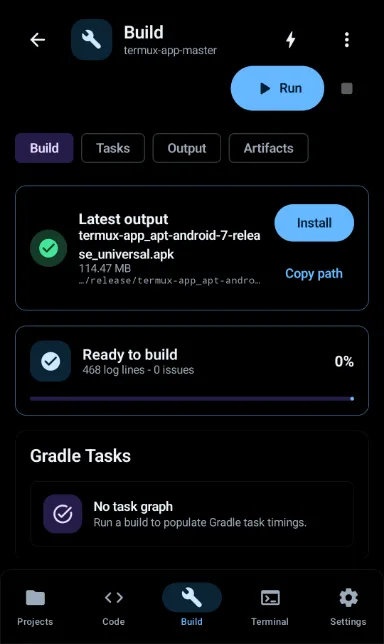
Gradle, the Android Gradle Plugin, the Kotlin compiler and an OpenJDK (independent build) runtime, all running as native processes on your device. Build variants and flavors, keystore management, signing, and C/C++ projects with CMake and ndk-build.
An editor that keeps up

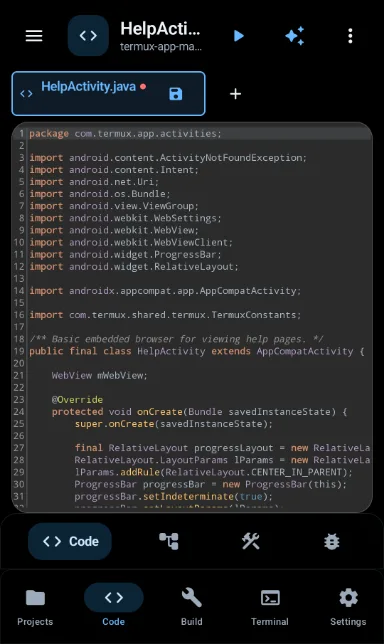
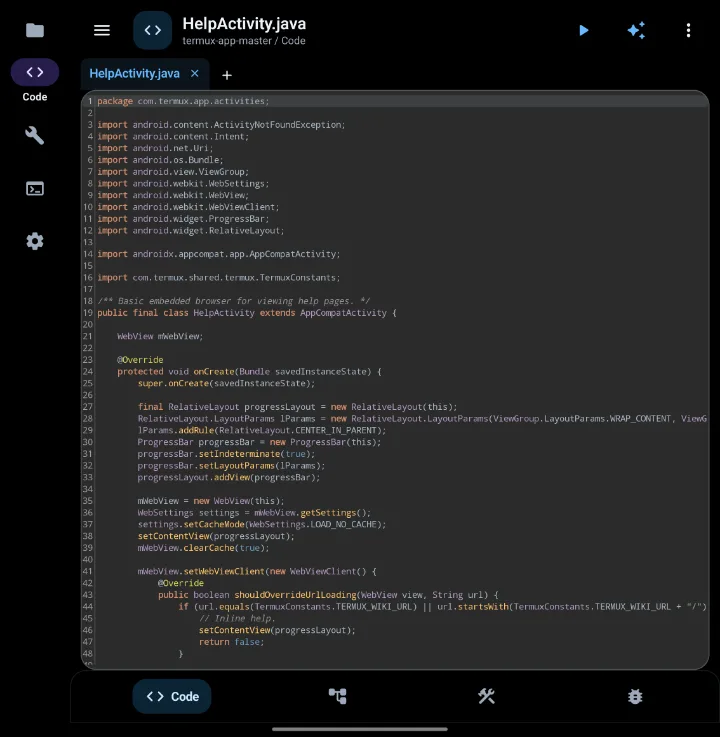
Editing stays smooth in large files, with syntax highlighting for 20+ languages. Completion, go-to-definition, quick fixes and reformat come from real language servers for Kotlin, Java, C/C++, Python and Rust — installed on first use.

Live preview

See Compose and XML layouts update as you type, without waiting for a rebuild or a reinstall. Edits are compiled and patched over the app already on your device.

On-device debugger

A real JDWP debugger: breakpoints, call stack, frames, locals and stepping against a running app process — including an app running on a second phone over the network.

Terminal and Git

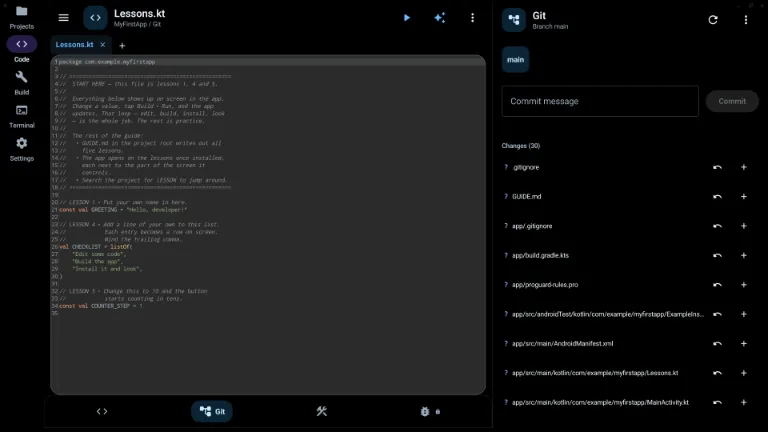
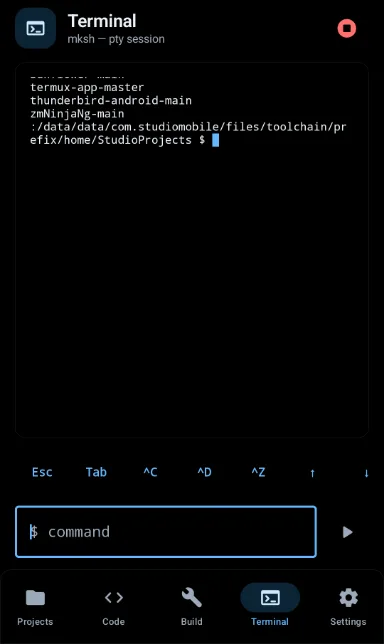
A Linux-style terminal with git, python, bash, node and more, plus a built-in Git panel for status, diff, commit and push. Project-wide search across your tree. The dev-tools userland installs on first use.
AI assistance

Generate and fix code without leaving the editor. Bring your own API key free on every tier, and it talks to the provider directly. A managed AI budget is included on the top tier if you would rather not manage keys.

How it works

Three steps, and the third one produces a file you can install.

Open or create a project

Start from a template or open an existing Gradle project — clone it with the built-in Git support, or point Pocket Studio at a folder you already have on the device.

Edit with real intelligence

Language servers resolve your project's actual classpath, so completion and go-to-definition work across your dependencies, not just the file on screen.

Build, sign, install, run

Gradle runs on the phone and produces an installable APK. Install and launch it without ever connecting to a computer.

Proof it isn't a toy

These are real open-source Android apps, built on a phone to a signed APK during development testing — not sample projects.

projects built on-device during testing
 NewPipe           Tusky             AntennaPod
 KeePassDX         Thunderbird       Telegram
 Element X         Home Assistant    Nextcloud
 Termux            CoMaps

Element X is a 100+ module build.

Results were produced on the development device. Your device will differ — see how phones compare.

Plans

Every tier includes the full IDE — the editor, terminal, Git, debugger, preview and bring-your-own-key AI. Tiers differ in how many builds you get and what you can sign.

Free

Try it on a real project

  • The complete IDE, no feature locks
  • Monthly on-device build allowance
  • Terminal, Git and debugger
  • Bring-your-own-key AI

Ultra

Phone as the primary machine

  • Everything in Pro
  • Unlimited builds, within fair use
  • Server-signed release APKs and AABs
  • A managed AI budget — no key needed

Pricing is set per country through Google Play and will be shown on the store listing. Subscriptions are billed by Google Play; you can cancel any time from your Play account.

Questions worth asking first

What kind of device do I need?

An arm64 (64-bit) Android phone or tablet running Android 8.0 or newer. Practically speaking, building large projects is memory-hungry work: 8 GB of RAM or more gives a comfortable experience, and you'll want several gigabytes of free storage for the toolchain, your projects and Gradle's caches.

32-bit-only devices are not supported — the toolchain is compiled for arm64.

Does it work offline?

Editing, browsing your code, the terminal and Git all work offline. Starting a build requires a network connection — each build checks in with our server first. That is a deliberate anti-piracy decision, and we would rather state it plainly than have you discover it on a train.

Gradle itself will also need the network the first time it resolves a project's dependencies, exactly as it does on a desktop.

Is everything included in the download?

No, and that's on purpose — a single enormous APK would be a bad trade. The app installs what you actually use, when you first use it: the language servers for Kotlin, Java, C/C++, Python and Rust, the command-line dev tools that back the terminal, and the native compiler toolchain for C/C++ projects.

You'll be told what is being fetched and roughly how large it is before it downloads.

Can I publish the apps I build?

Yes. Pocket Studio produces standard, signed APK and AAB artifacts. Release signing on paid tiers is done server-side with a signing key generated for your account and stored encrypted; you download the signed artifact and upload it to Google Play yourself. We never publish on your behalf.

How is the AI feature billed?

If you bring your own API key it is free on every tier, and your requests go straight to the provider — they never pass through our servers. The paid feature is the managed budget on the top tier, where we supply the key and cover a monthly allowance of usage.

Will it make my phone hot?

Compiling a large project is genuinely heavy work, and a phone is a small thermal envelope — a long build will warm the device and use battery, just as it spins up the fans on a laptop. Short and incremental builds are far lighter. Building while charging, and giving the device a moment between long builds, makes for the best experience.

Do I need to root my phone?

No. Pocket Studio runs entirely as a normal Android app, within the sandbox, on a stock device. No root, no unlocked bootloader, no ADB tinkering required to use it.

Your next project doesn't need a laptop.

Pocket Studio is finishing its launch preparation on Google Play.

Coming soon to Google Play launching shortly Read the docs